How to See Who's on Your Website Right Now
Launching something new is stressful. You send the emails, post to social, and then you sit there and wait. Not too long ago, "wait" meant checking your website traffic the next morning to see what happened. By then, whatever you might have done about a traffic spike or a conversion problem was irrelevant. The window had closed.
Real-time analytics is about collapsing that window. Seeing what's happening while it's happening, not after.
Batch vs. Real-Time: What's the Difference?
Most analytics tools, including some that claim to be "real-time," are actually batch processors. They collect events, hold onto them, and then run an aggregation job on a schedule (hourly, daily, weekly) to produce the numbers you see in your dashboard. This works fine for most purposes. Monthly reports, long-term trend analysis, historical comparisons; these are all perfectly suited for batch.
The problem is that "fast batch" is still batch. A dashboard that refreshes every 15 minutes is not a live view of what's happening. It's a very recent history.
Real-time processing handles events as they occur. A visitor loads a page, and within seconds, it shows up in your dashboard. No aggregation job, no lag.
The two approaches aren't competing, they simply serve different needs. Batch is better for asking "how did last quarter go?" Real-time is better for asking "is this working right now?"
When Real-Time Data Is Actually Useful
The obvious case is launch days. If you've pushed a big product update, sent a campaign to your list, or hit the front page of Hacker News, real-time data tells you what's happening while it's still happening. You can see if people are landing where you expected, whether they're clicking the thing you want them to click, and whether your server is keeping up.
Real-time is also useful as a diagnostic. If your live visitor count suddenly drops to zero, you'd like to know that now rather than discovering it in an alert email the next morning. Broken tracking snippet, bad redirect, or actual downtime? All of these are time-sensitive. Batch data can tell you there was a problem; real-time data helps you catch it as it starts.
Paid traffic is another good case. If an ad is driving visitors who aren't converting at all, catching that mid-day means you can adjust before you've burned through your full budget.
What You Actually See
When you open Clicky's real-time view, Spy, you're not just looking at a visitor count ticking up. You can see which pages are being viewed at this moment, where each visitor came from (which specific link or search result), their geographic location, and whether any of them are triggering conversions.
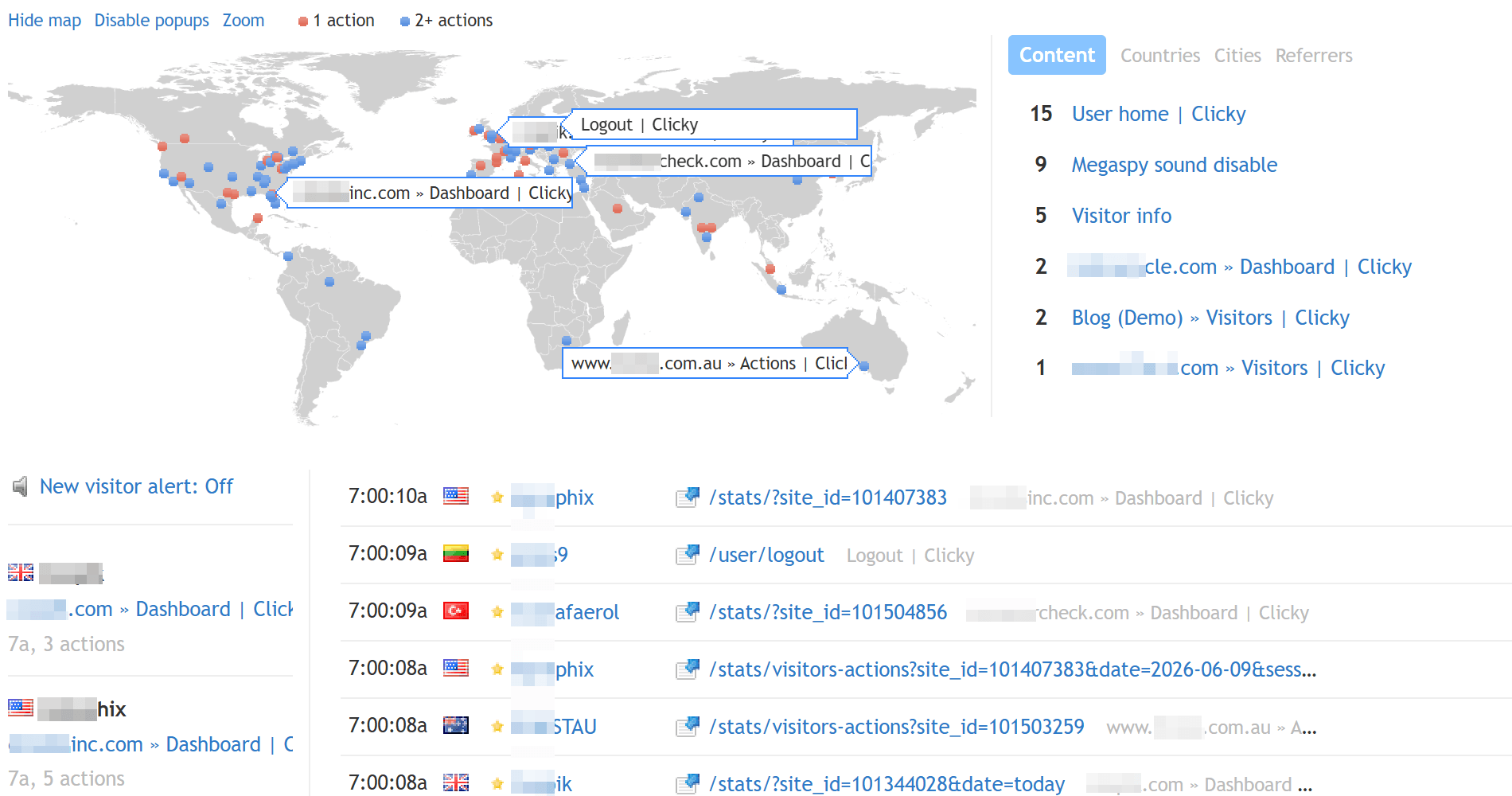
It's a live stream of individual visitor activity, not an aggregated summary. That distinction matters because it lets you look at specific visitors and understand what they're doing, rather than just reading a number.
A Note on "Real-Time" as a Marketing Term
Honestly, "real-time" has been stretched pretty thin as a label. A lot of platforms use it to mean "updates faster than daily," which could include dashboards that refresh every 30 minutes. That's faster than batch, but it's a different thing than actually live.
Clicky has been built around real-time data since the beginning, about 20 years ago now. It wasn't bolted on later or added to check a competitive box. The live view is the core of how the product works.
Real-Time vs. Batch at a Glance
| Real-Time | Batch | |
|---|---|---|
| Data freshness | Seconds | Hours to days |
| Best for | Launch monitoring, anomaly detection, live campaign management | Trend analysis, monthly reporting, historical comparisons |
| Who uses it most | Founders during launches, operators watching for issues, marketers mid-campaign | Analysts, executives, anyone doing periodic reviews |
If you're running a site and making time-sensitive decisions based on yesterday's data, it's worth having a live view. Try Clicky for free and you'll have real-time data running in a few minutes.