Block more bots w/ User Agent filters, new country options, & more!
Bot Blocker 5000 is here to chew bubble gum and kick robot ass... and he's all out of bubble gum 😭
He brings with him some major updates to Clicky's visitor filtering (blocking) system, designed to give you much more granular control over what gets logged, and what doesn't:
- A brand new filter type to help you fight bots: user agents! (aka, web browsers)
- A new country option for all filter types, including the new user agent filter
- Query parameter filters can now filter based on value, as well as name
- ...and more!
New! User agent / web browser filters
Fighting bots is basically a full time job now, and to help you with that, we've added user agent filters.
Block traffic based on the user's operating system, browser family, and even the specific version of that browser (e.g. "Chrome 150"). This is particularly useful for targeting bots, as a new "attack" will often be entirely from the same browser version and country.
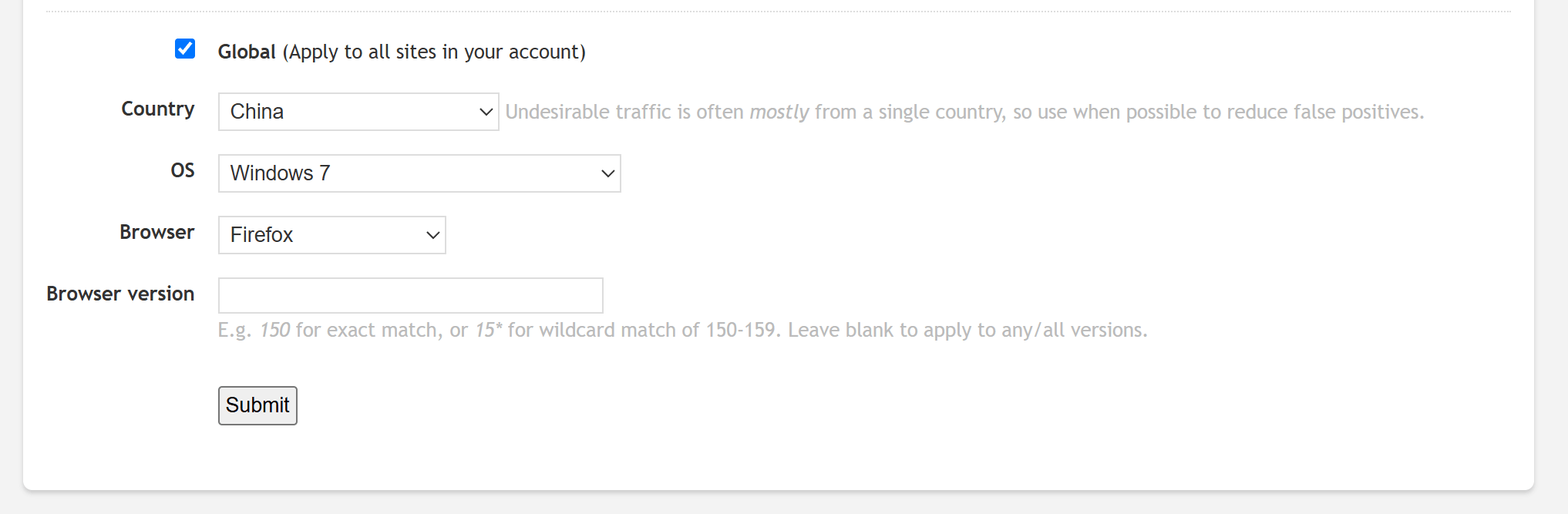
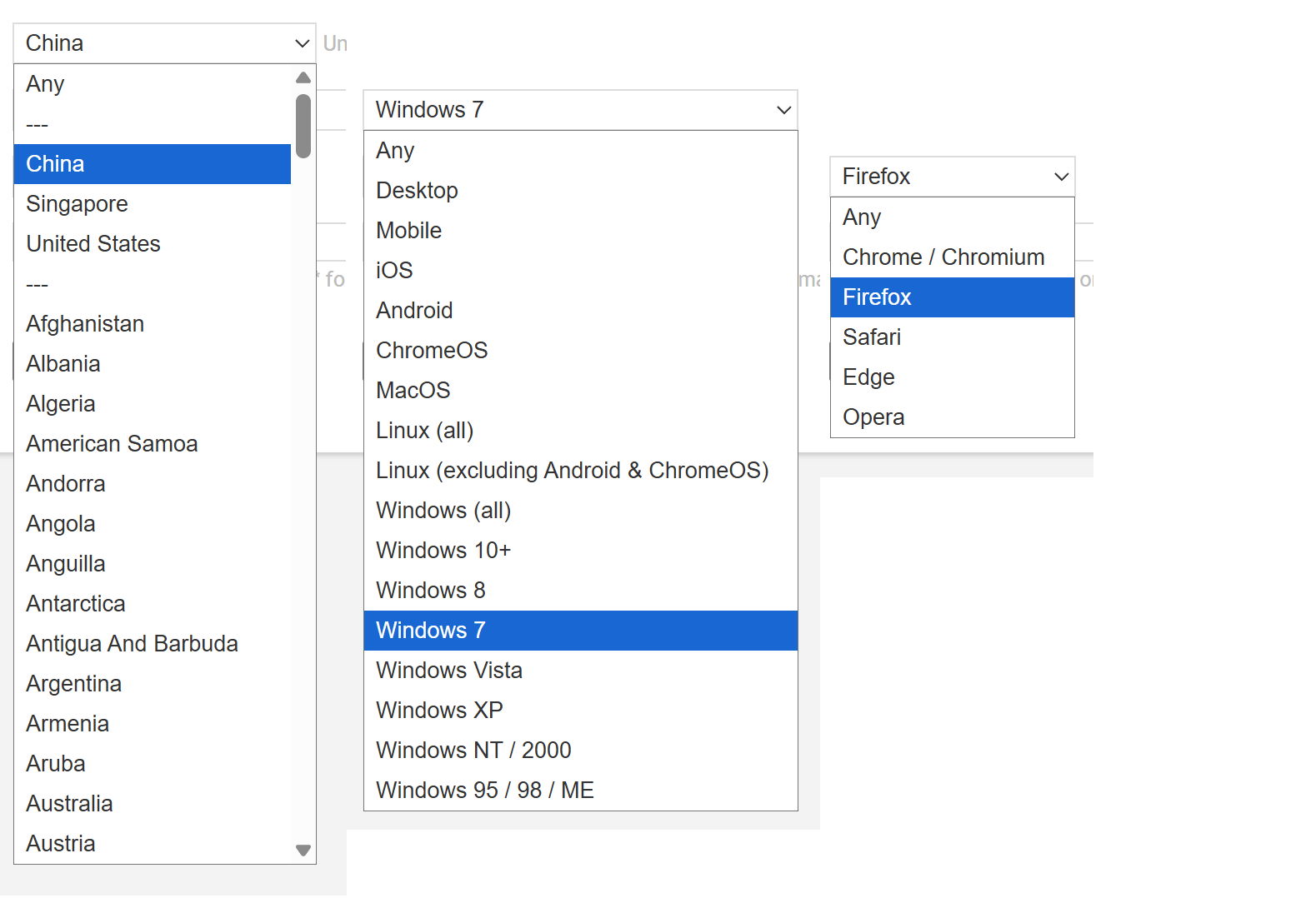
Here are all the options in those menus. You can see for the countries menu, the top 3 problem countries for bot traffic have been placed conveniently at the top.
Blank user agents
Speaking of user agents... the code that determines if a specific user agent is a bot or not, was accidentally ignoring "blank" user agent strings. If it's blank, then it's 99.99% a bot, and now we just ignore that traffic automatically... unless you are using internal data tracking API, as that is for intentional logging. This is slightly different from the old behavior for this API, but we had to make this change in order to fully and properly block empty user agents. Anyone using this API, if you notice any side effects, let us know!
Country filters
We were originally going to add a country option only to the new user agent filter, as that filter type was designed specifically with bot targeting in mind. However, it was immediately apparent how useful it would be to have a country option for all filter types, so we quickly merged that all together.
The main goal of filtering is to remove undesirable traffic, which will usually be bots. And oftentimes a new surge in bot traffic will be at least mostly from a single country. Hence, we highly recommend using this option if it's at all relevant, in order to prevent false positives.
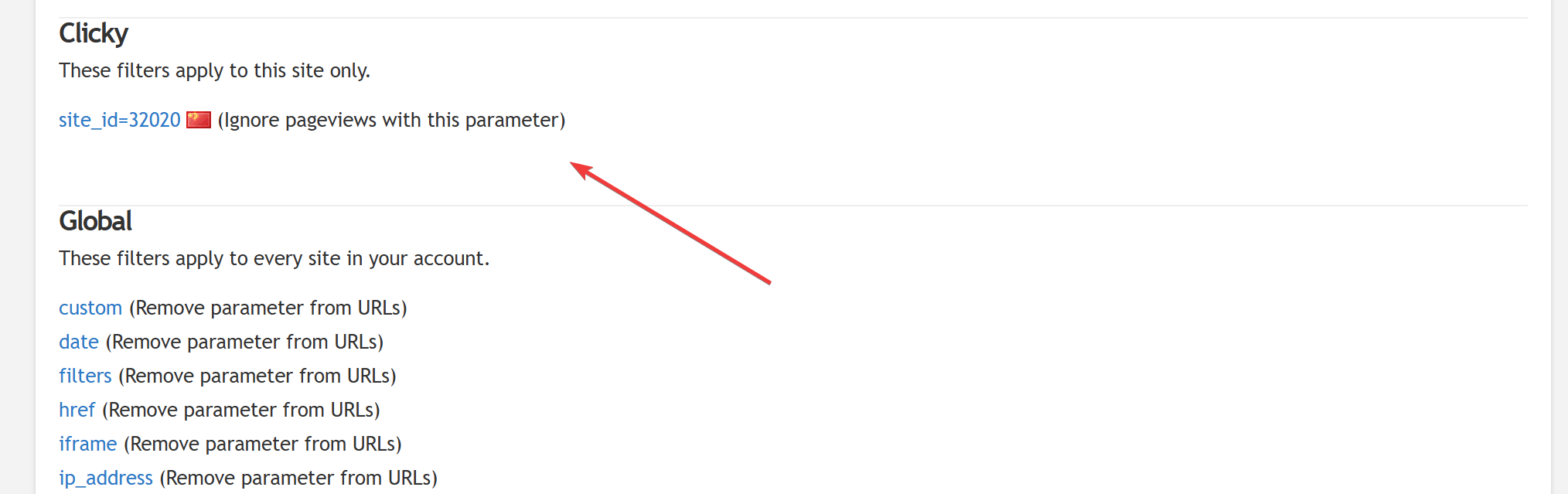
The set up area for all filter types now shows the country flag as well, for active filters using the country option:
Query parameter values
We've updated query parameter filters so you can also specify a value as well. Before, you could only specify a name, as the real main purpose of that filter was for normalization (to remove the parameter from the URL, not block the visitor), and that's how most of you use it.
Blocking has always been an option though, and I had a particular use case in mind for why I really wanted to add values as an option. See, we have a goal set up so we can see how often people view our demo on a daily basis, but 2/3 of the traffic logged under there is from China. It's very clearly all bots, so I wanted to block that combination of things, but I couldn't with the old system. If I couldn't specify the site_id exactly, then it would block Chinese visitors looking at any site_id. And we do have Chinese customers, so that would be bad!
The new system, however, lets me target this exact traffic. By using both the new query value option (site_id=32020) and the new country option (China) together... the traffic disappeared immediately! You can also see just how much of this traffic was indeed China on the top right:
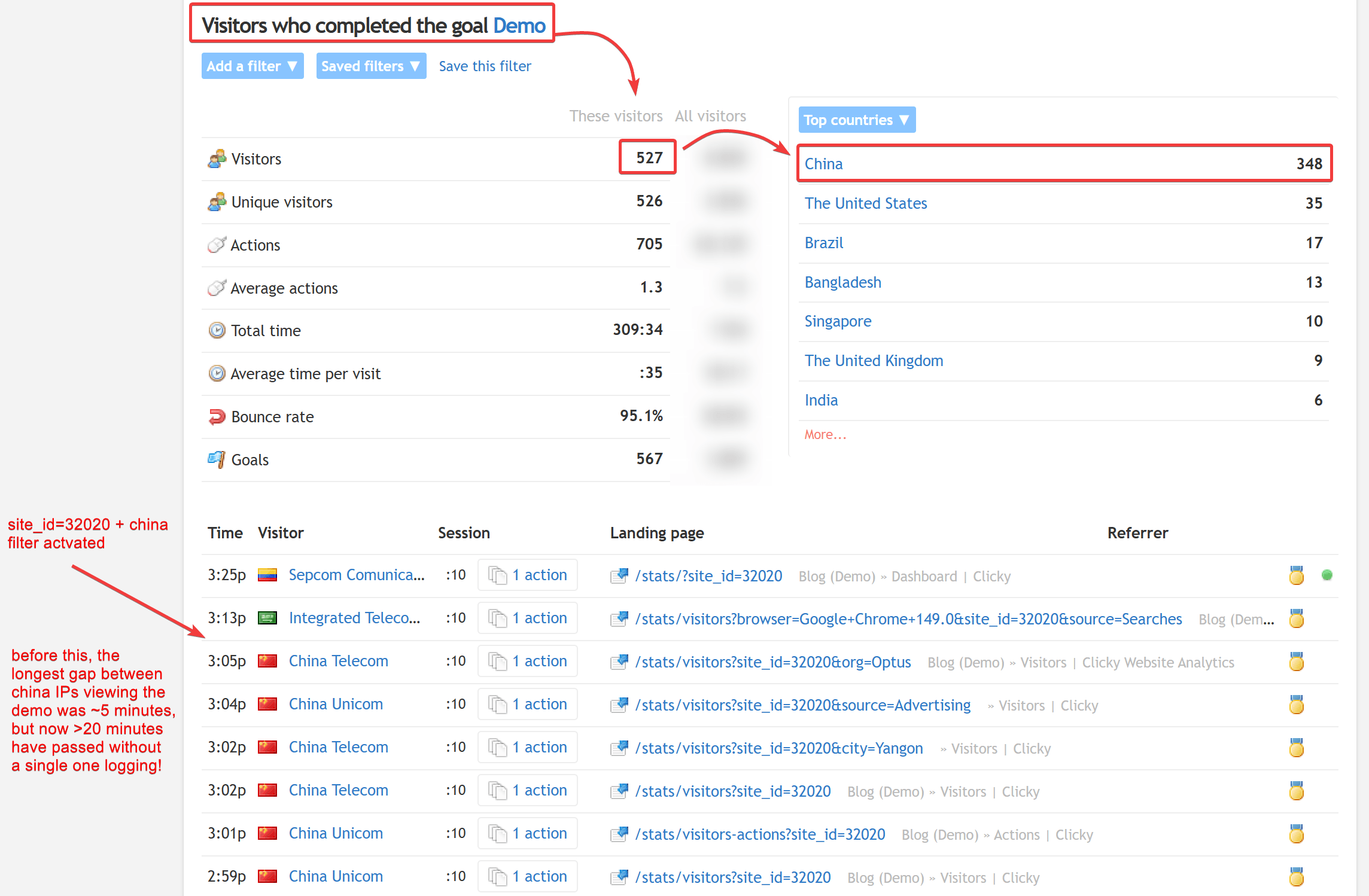
Clearly we have bot visitors other than China, but China was most of it and I am thrilled that I won't see it anymore.
...and more!
Almost everything on our roadmap this year has to do with bots and AI. Stay tuned!