Backlinks: A powerful feature you've probably been ignoring
There's a small icon that appears next to referrers throughout Clicky, and most of you have probably never clicked it. This icon is our Backlinks feature, which we introduced it back in April 2021. At the time it was bundled with a much bigger visitor log redesign, and the icon itself is easy to overlook if you don't know it's there, so let's give it a proper spotlight!
Quick context
If you've been using Clicky for a while, you've noticed that referrer data has gotten a lot less useful over the years. Chrome started stripping referrers down to domain-only in July 2020, Firefox followed suit in March 2021, and that was basically the end of the era where you could see the specific page a visitor arrived from. We've written about this before if you want the full story.
The end result is that you see a referring domain in your reports, but rarely the specific page. So you look at your Links report and you see randomsite.com sent you 30 visitors this week. Great! But which page on randomsite.com? A brand new post that just went up? Something that's been quietly linking to you for years? A reader who shared your URL in a comment? That context matters quite a bit if you're trying to understand your audience or build relationships with people who are writing about you.
What the icon does
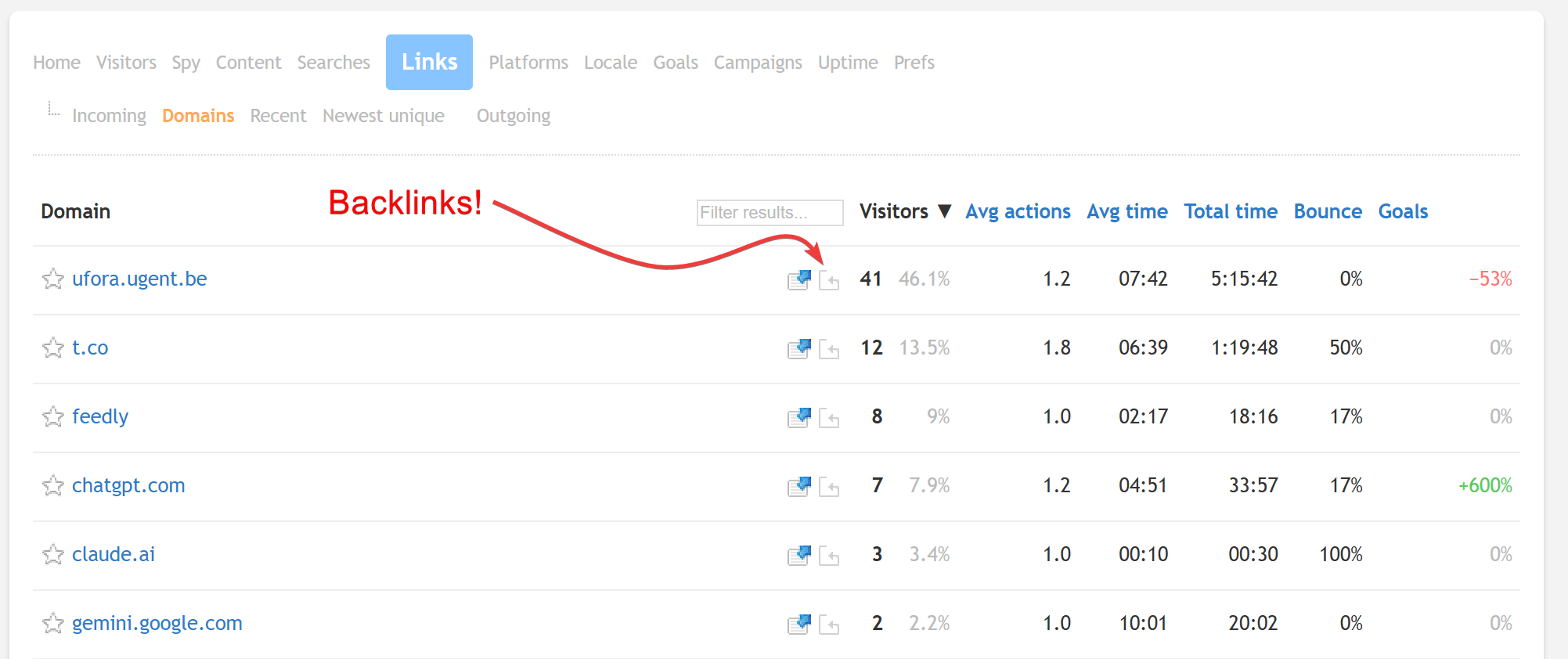
The backlink search icon (it looks like the outline of a page with a circular arrow; see screenshot below) performs a search for: yoursite.com site:randomsite.com, to continue the same example above. That query tells a search engine to find every indexed page on that referring domain that mentions your domain. In most cases it'll surface the specific page or pages that linked to you, or at minimum show you everything on that site that references your domain.
Any report with a referring domain will have the icon:
- Visitor sessions
- Links
- Links → Domains
- Links → Recent
- Links → Unique
This isn't rocket science. Most of you have probably done this kind of search manually before. The value is that it's right there, one click, with the query already built for you. No copy-pasting domains, no remembering the syntax.
When it's most useful
The most obvious use case is when you get a traffic spike from a site you don't recognize, or from a high-traffic site where you want to know the specific context. If some popular newsletter or tech publication sends you a few hundred visitors in a day, knowing the exact post that mentioned you is pretty valuable information.
It's also useful for SEO purposes. Understanding which sites link to you, and what they said about you, is foundational stuff. There are dedicated backlink services that do this more exhaustively, but none of them are free. For a quick, zero-effort lookup on who's talking about you and in what context, this is about as convenient as it gets.
Search engines have been hiding keywords starting in 2010. So for search engine referrers, the icon links directly to that search engine with just your domain as the query. For smaller sites, this may be useful for research purposes, at the very least.
Limitations
It's only as good as the search engine's index, so if someone just posted the link, it probably won't appear yet. And if your domain is shared (e.g. you're on a subdomain of a platform used by thousands of other sites), the results will be noisy and you'll need to refine the query manually. Sometimes search results are just unhelpful regardless, so your mileage will vary.
But for most users, most of the time, it's a quick and genuinely useful way to go from "huh, I'm getting traffic from this domain" to "oh, that's the page that mentioned me." We just want more of you to know it's there.
For full details, check out the knowledge base!