Ignore visitors based on browser / page / referrer / country / organization
Beyond
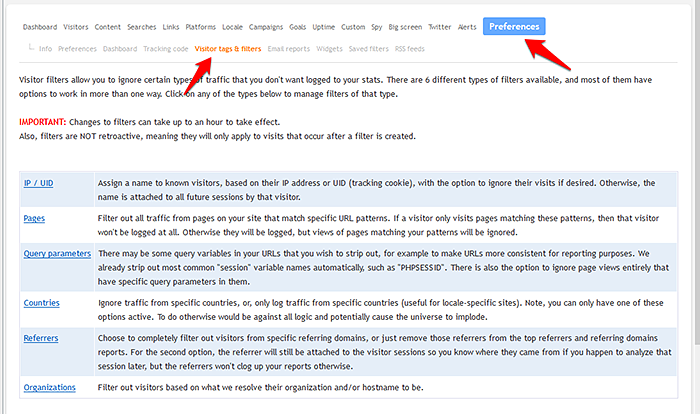
filtering visitors by IP/UID, you can also filter visitors by web browser, page URL, referring domain, country, and/or organization.
You can find this filtering configuration area in the
site preferences area for any of your sites, as shown in the screenshot below.
You can create both site-specific filters, and global filters, which apply to all sites in your account. If you create any kind of filter for a site, and you also have global filters of the same type set up, both sets of filters will apply to your traffic for that site.
More information about each filter type can be found on the filter configuration screen.
📢 Stop guessing and start growing
Register for Clicky now to get the insights you need
 0 online
0 visitors
0 actions
0 online
0 visitors
0 actions