Blogger Web Analytics Plugin
⬅️ Back to all plugins
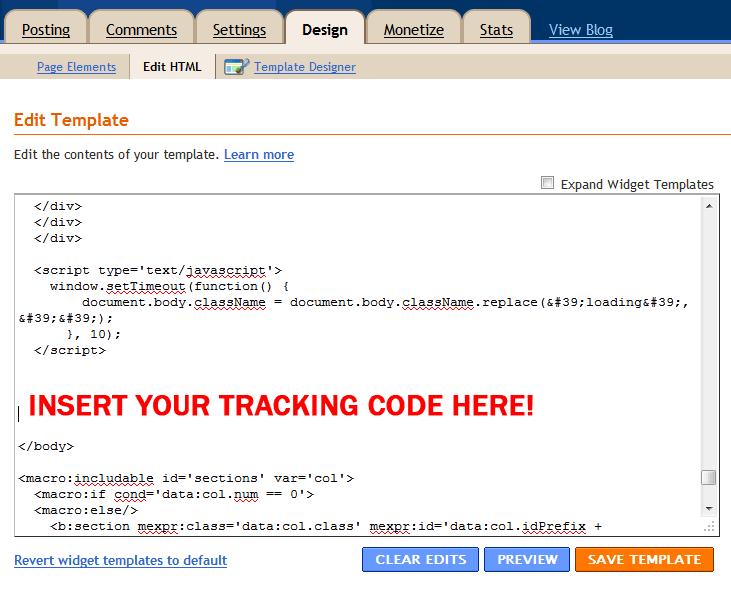
To install on Blogger, you need to edit your blog's template. Click the "Design" tab at the top, then "Edit HTML". You will see some code in a form, as shown below. Unfortunately, the area that you want to place the code isn't at the very top or bottom, like it used to be. This means you need to use your browser's built in search-on-page tool (Ctrl+F), and then search for "</body>". Put a few lines of white space above the </body> tag in the form, then paste in your tracking code above it, as shown below.
📢 Experience web analytics the way they should be
Sign up for Clicky now and transform your analytics
 0 online
0 visitors
0 actions
0 online
0 visitors
0 actions