How to track AdBlock visitors
Approximately 20% of people use adblockers, which also block trackers. This means that a significant portion of your traffic
won't be logged by most services. Luckily for you, Clicky is not like most services.
Reverse proxy
With our
reverse proxy analytics configuration, the tracking code and all tracking beacons will route through generic pathnames on
your website's domain name, instead of ours.
Anti-adblock
This configuration acts an anti-adblock. Tracking will be much more reliable, as it will typically only be blocked by visitors do so manually. When we switched to proxy tracking for clicky.com, our numbers increased by almost 20%!
The Clicky difference
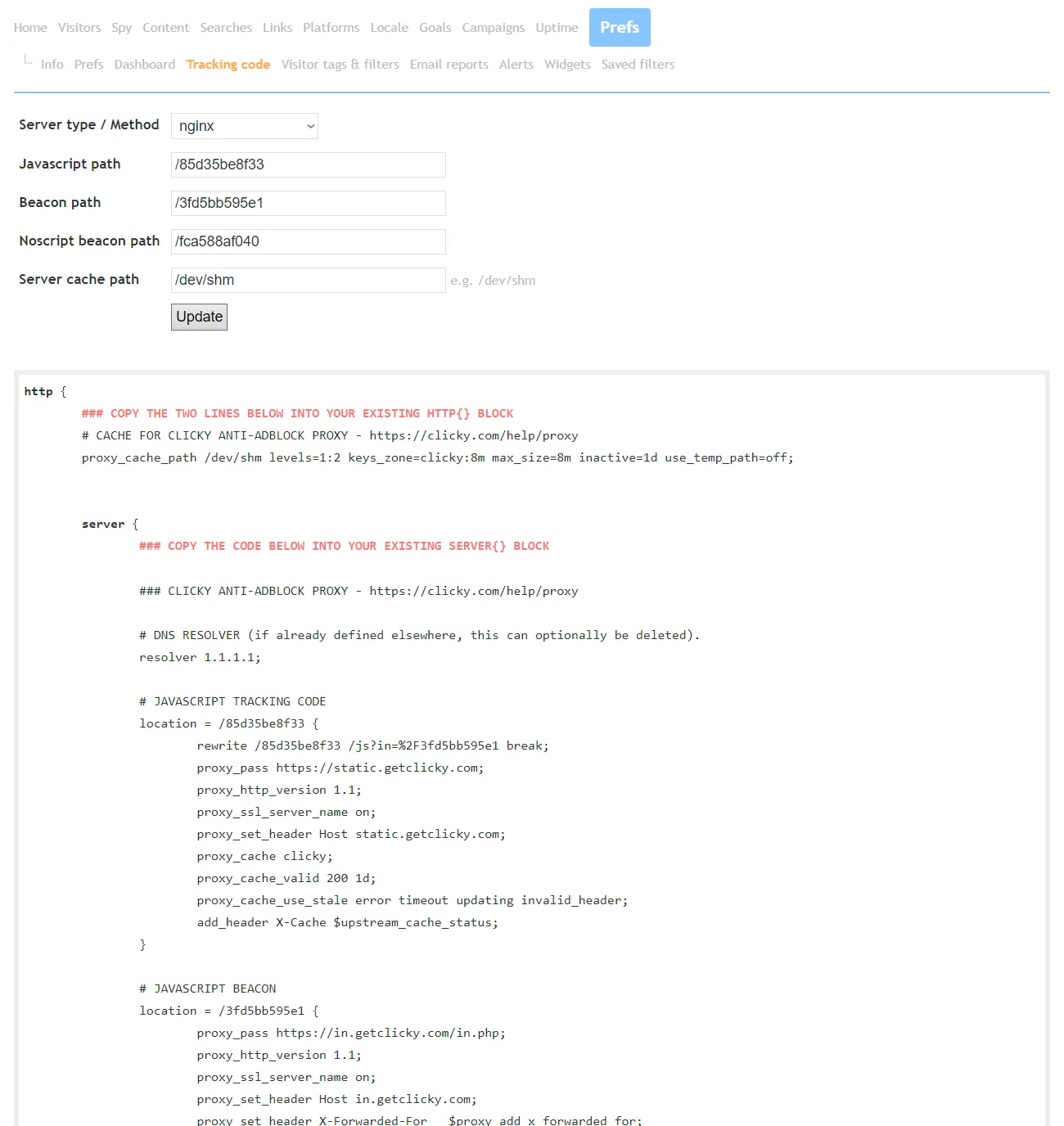
Other services may in theory support a similar set up, but our guides are fully dynamic, and generate the code for your specific site, rather than just giving you a template and having you figure out how to make it work for your site.
These dynamic guides are built into the
tracking code page in your site preferences. Simply choose your server type or preferred method -
Nginx 
,
Caddy ,
Apache ,
.htaccess , and plain old
PHP - and customize a few other options as needed. All the code is then generated for you. It's a bit more involved than standard tracking set up, but it's really just matter of getting the code into the right place, and it's absolutely worth it if you have the means.
📢 See exactly how your visitors interact with your site
Get started with Clicky today and take your analytics to the next level
 0 online
0 visitors
0 actions
0 online
0 visitors
0 actions


