Cloudflare (Zaraz) Web Analytics Plugin
⬅️ Back to all plugins
💾 Download plugin
Aside from plugins, the easiest way to add your tracking code to your website's HTML is via
Cloudflare Zaraz 
.
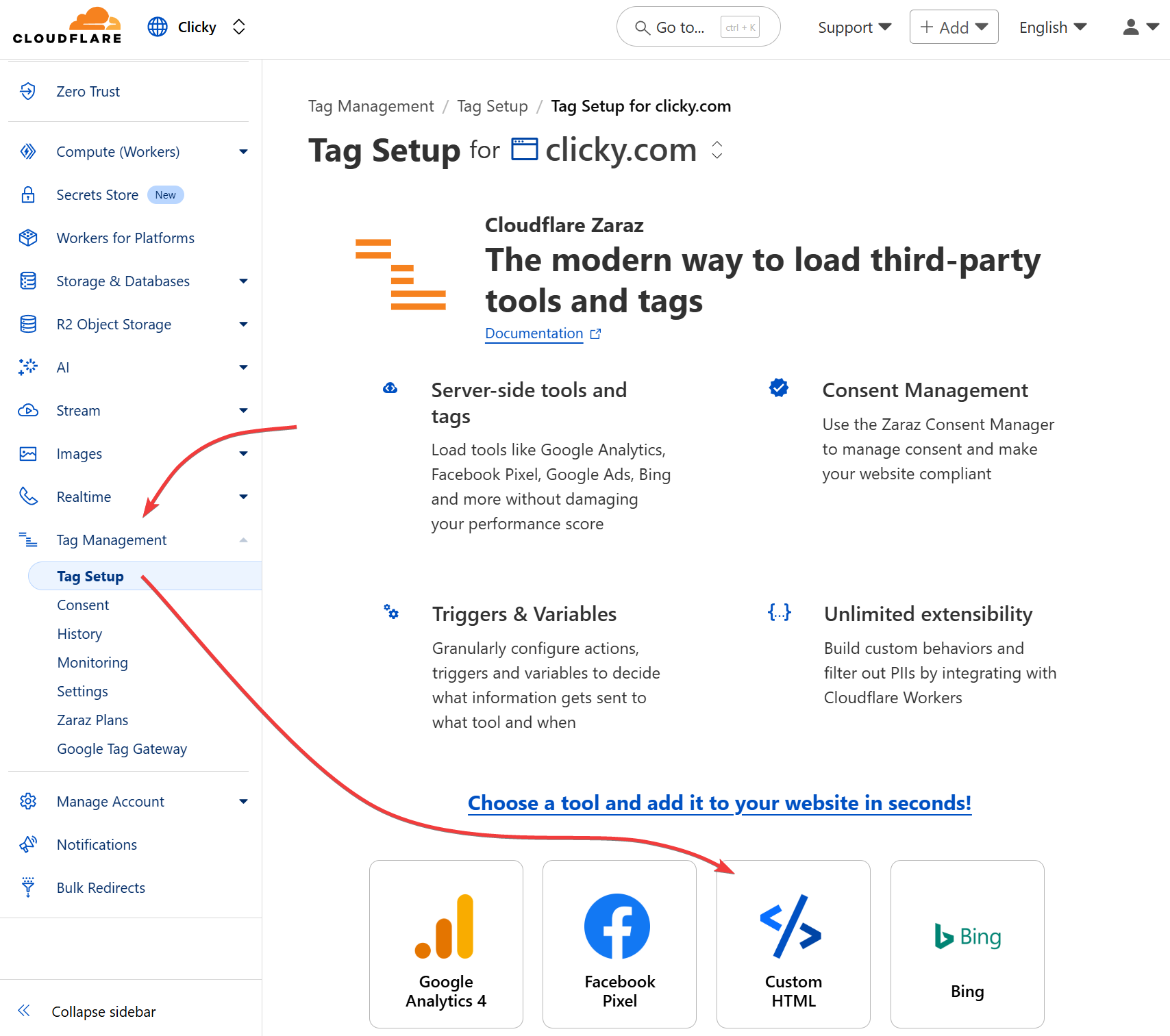
Click the "Tag Management" link in your Cloudflare
account dashboard (
not your
site dashboard), then click the site you want to manage. From the list of tools, select "Custom HTML":
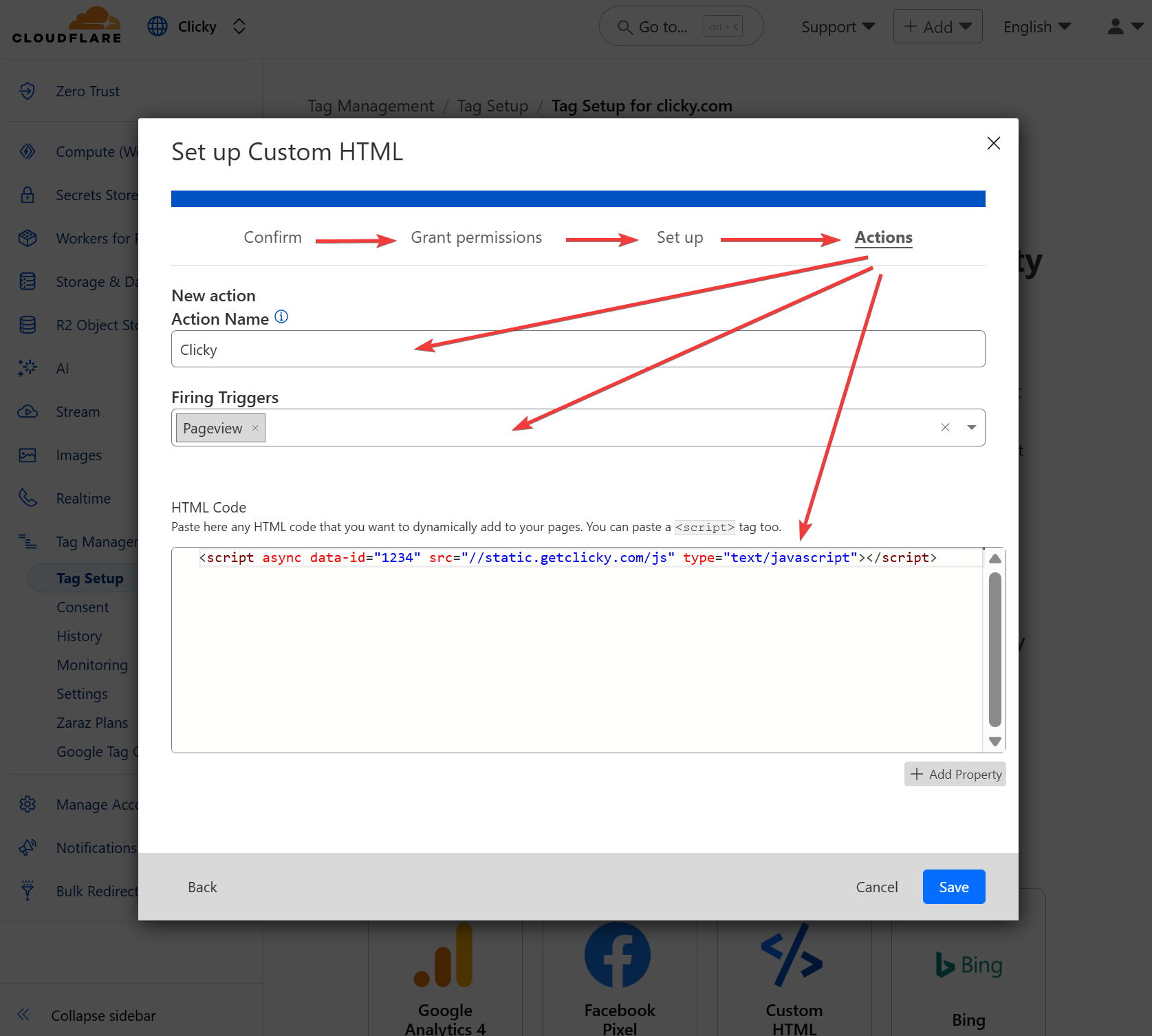
Click through the defaults on the next few screens until you see the "Actions" sub-tab shown below. Name it as desired, select the "pageview" trigger type, paste your tracking code into the box at the bottom, and click save.
You're done! You can edit or delete it later from this same page, or add others.
📢 See exactly how your visitors interact with your site
Get started with Clicky today and take your analytics to the next level
 0 online
0 visitors
0 actions
0 online
0 visitors
0 actions