Google Tag Manager Web Analytics Plugin
⬅️ Back to all plugins
Google Tag Manager (GTM) is a powerful tool to easily manage the various javascript tags on your site without having to edit your site beyond the initial install of GTM. If you use GTM, you'll be happy to learn that Clicky is fully compatible with it.
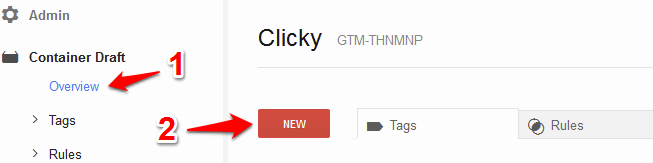
First, login to GTM. Go into the 'overview' section and add a new tag.
NOTE: These screenshots are out of date but the overall process is mostly the same.
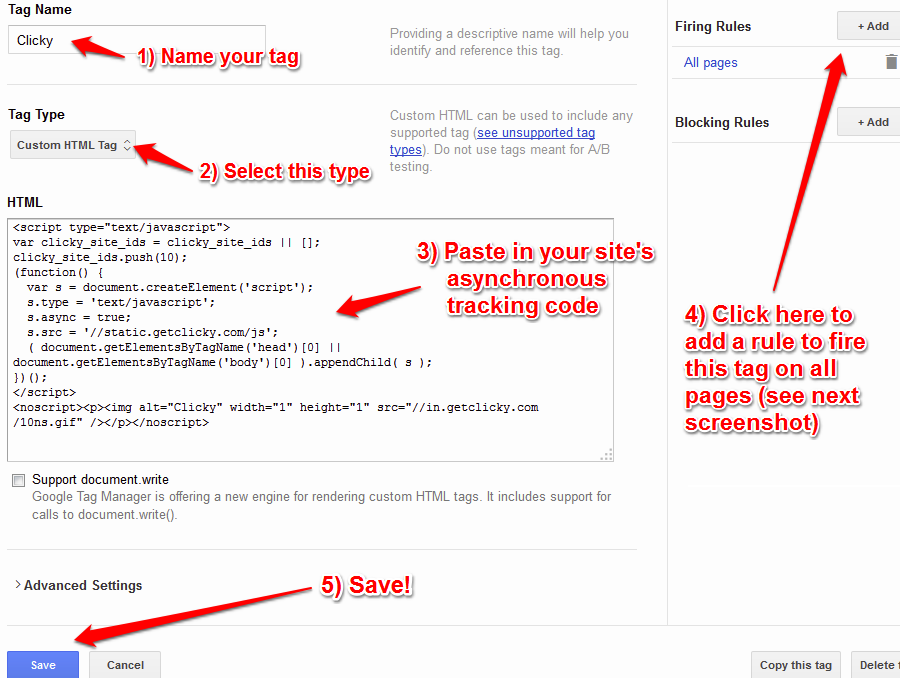
Name your tag, select the 'Custom HTML Tag' option, paste in the code, add a rule to fire on all pages, and save.
IMPORTANT! Make sure to check the "tag manager code" option on your
tracking code page before copying it.
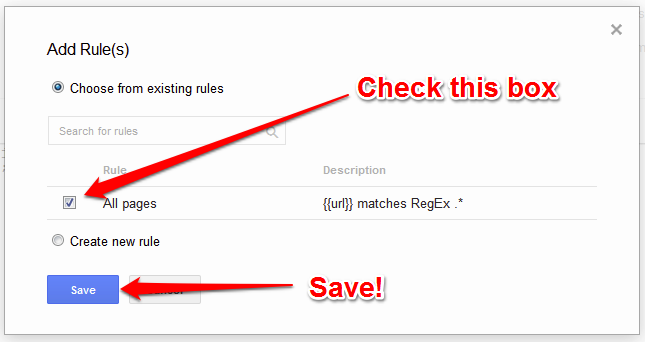
From the "add a rule" page, check the box and save.
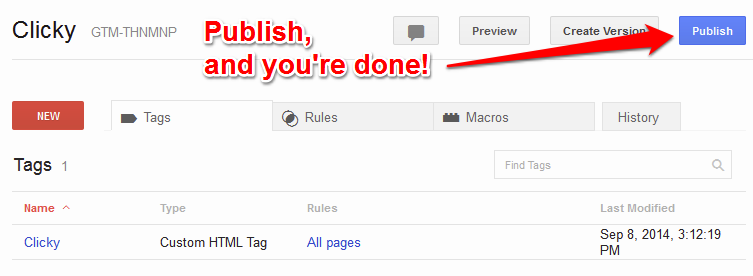
Publish your changes. Done!
📢 Stop guessing and start growing
Register for Clicky now to get the insights you need
 0 online
0 visitors
0 actions
0 online
0 visitors
0 actions