SharePoint Web Analytics Plugin

⬅️ Back to all plugins  

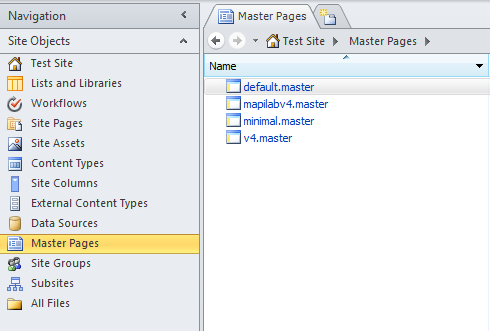
In SharePoint Designer, open the control panel for your website. In the sidebar, go to Site Objects, then Master Pages, as shown in the screenshot below. You will see all of the pages of your site listed here. Unfortunately you will need to add the code to each page individually. Paste the code inside the <head> tag of each page, and you're done!


Looking for a fresh web analytics experience?

📢 Register for Clicky now and use the plugin/instructions on this page to track your website!