Shopify Web Analytics Plugin
⬅️ Back to all plugins
Our Shopify tracking code will track all pageviews, sales, revenue, and add/remove cart actions. For sales, the code will also attach your customer's email address and order ID to their Clicky session. There are
additional actions 
that can be tracked, feel free to expand the code as needed.
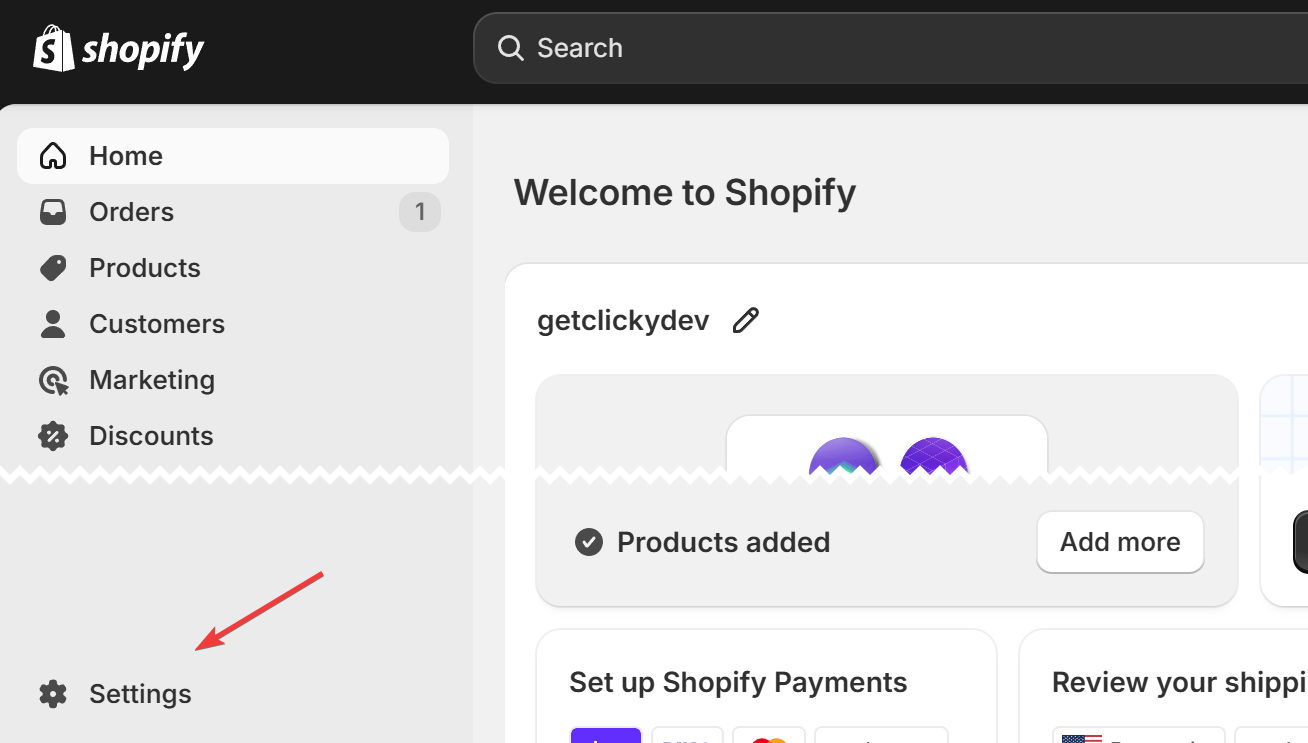
Click the "Settings" link in the bottom left corner of your shop's admin area:
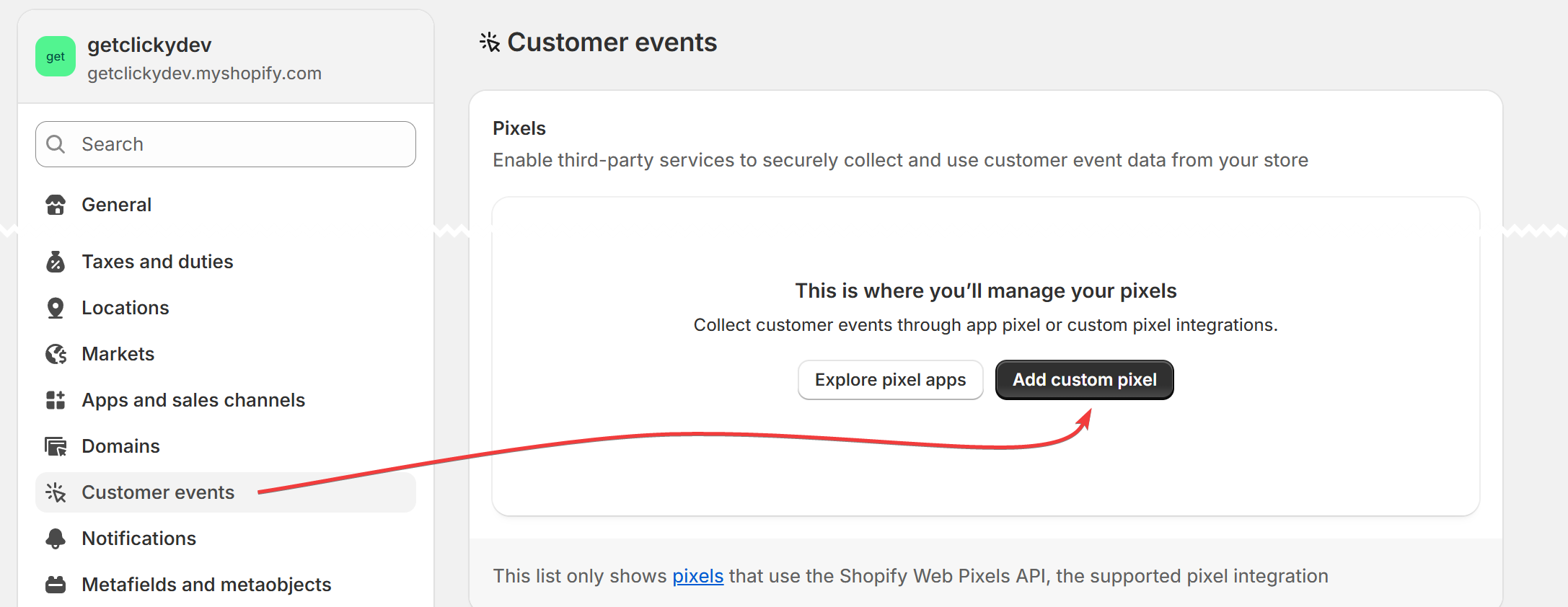
Click "Customer events" in the sidebar, then "Add custom pixel":
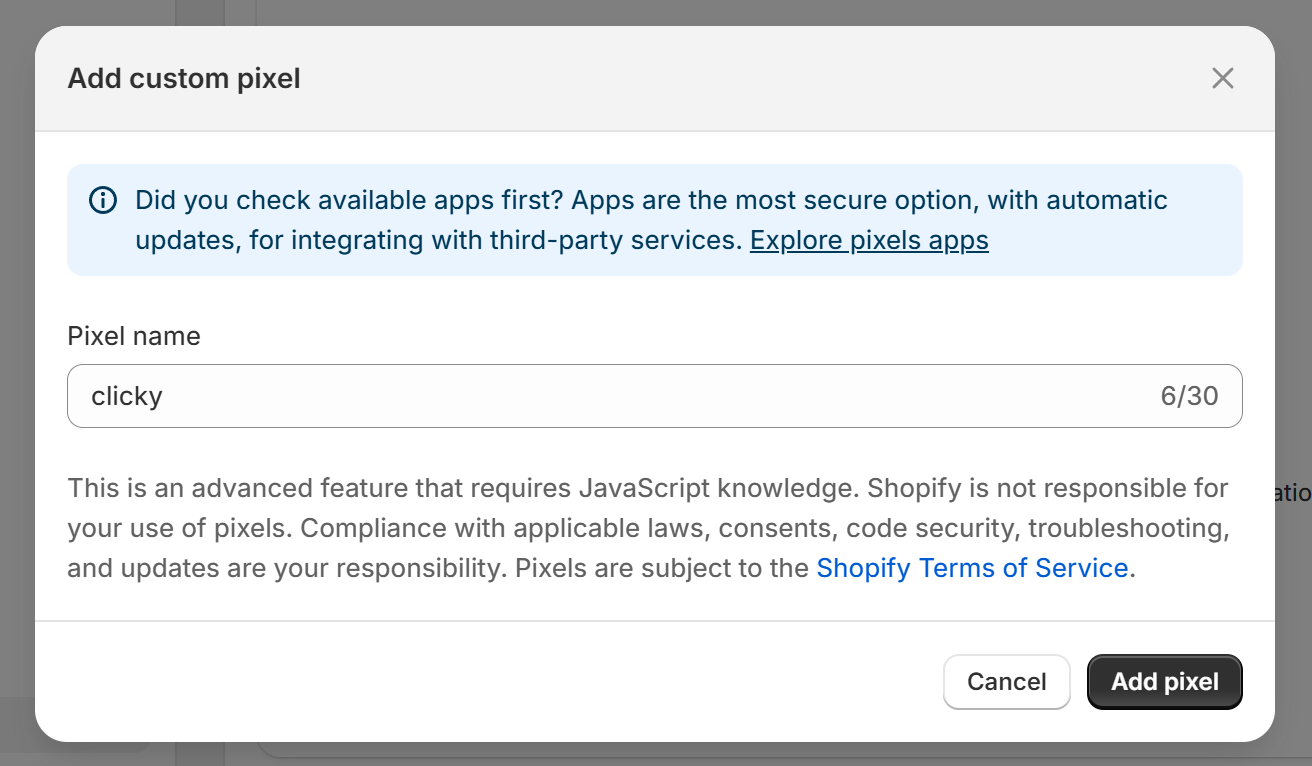
Give it a name, then click the "add pixel" button in the bottom right:
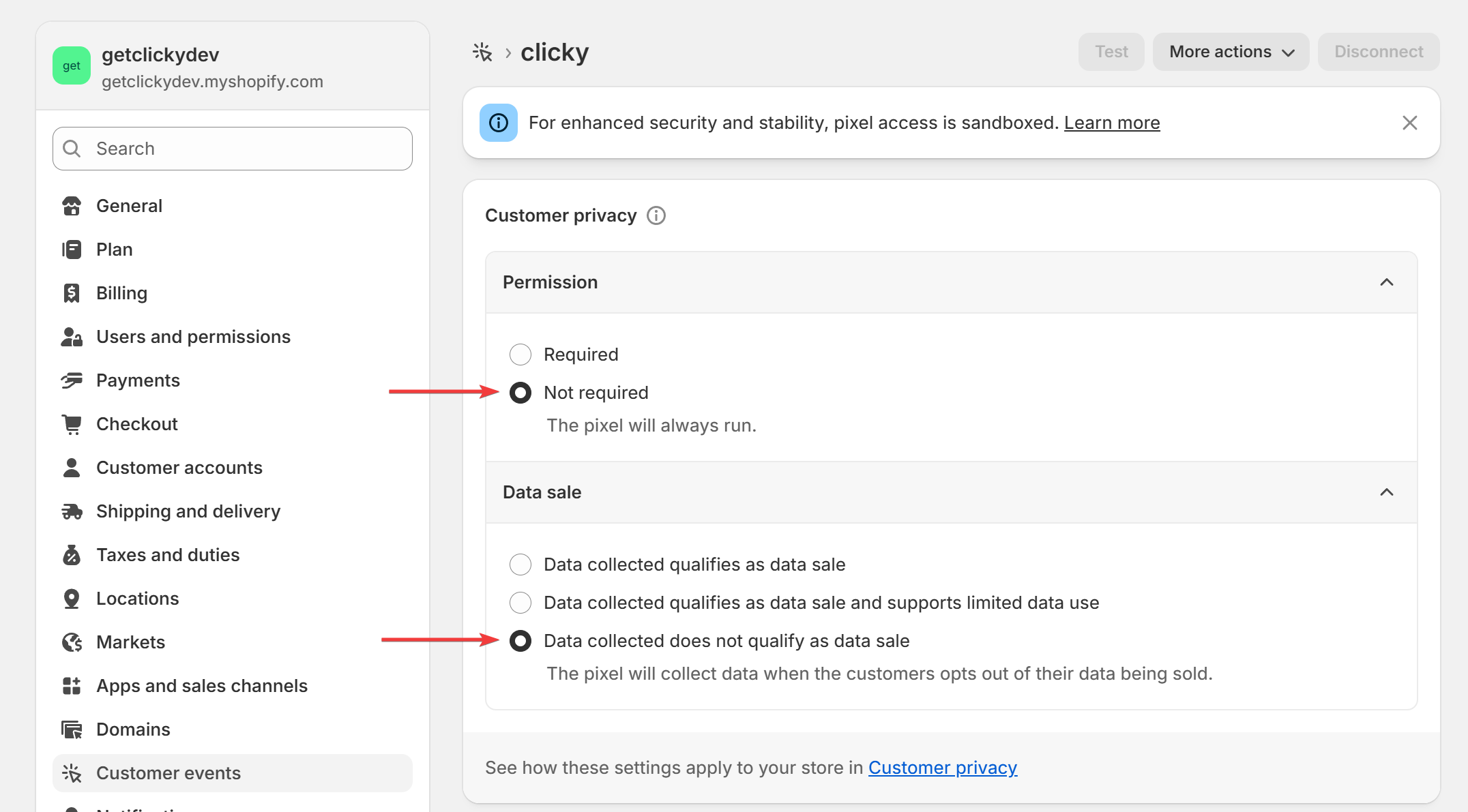
Expand the permission and data sale boxes and select the options shown below.
Clicky's default privacy settings will anonymize all IP address and disable tracking cookies automatically, so unless you have changed Clicky's defaults, these Shopify privacy features aren't needed.
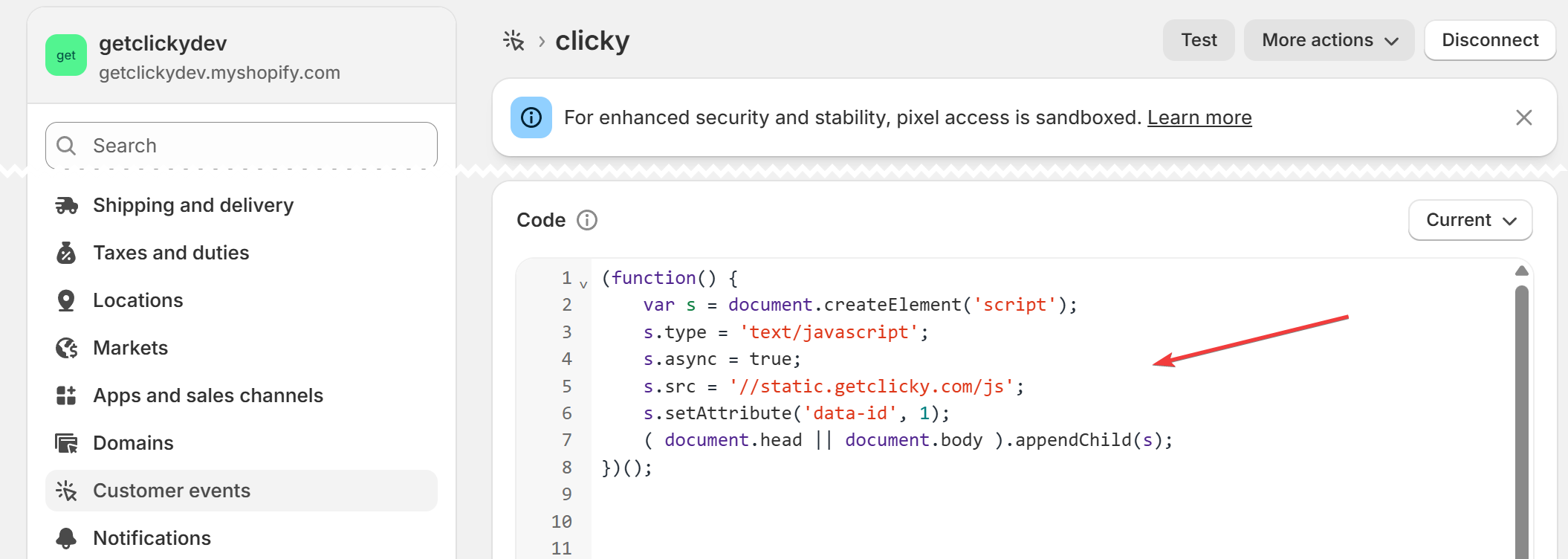
Go to your Clicky
tracking code page, check the "tag manager" box, and copy the code into the "code" box on Shopify:
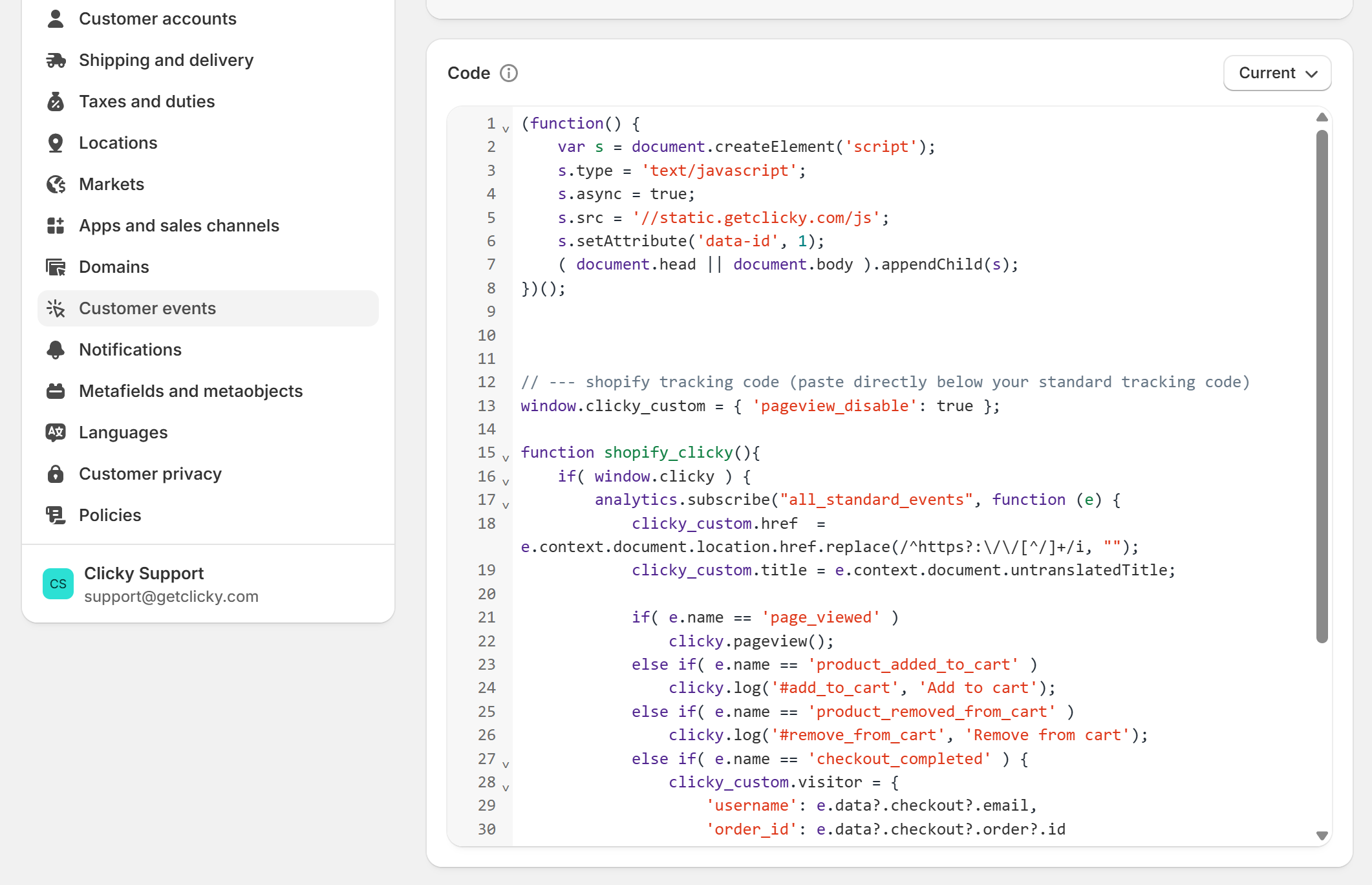
Copy
this code as well, and paste it right below the code from the last step. End result should look similar to this:
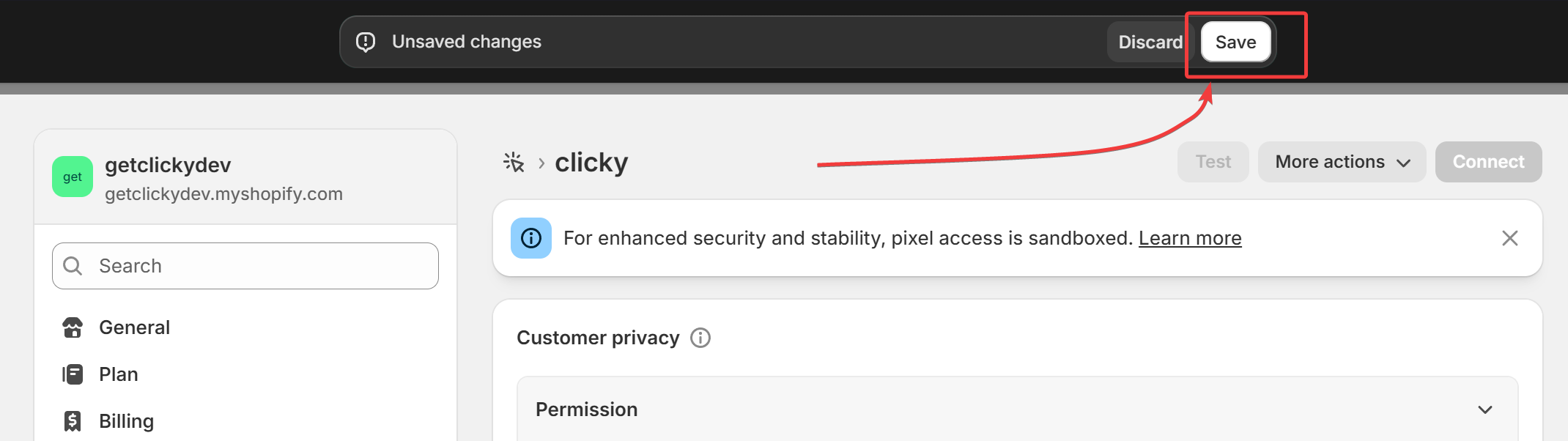
Save your changes:
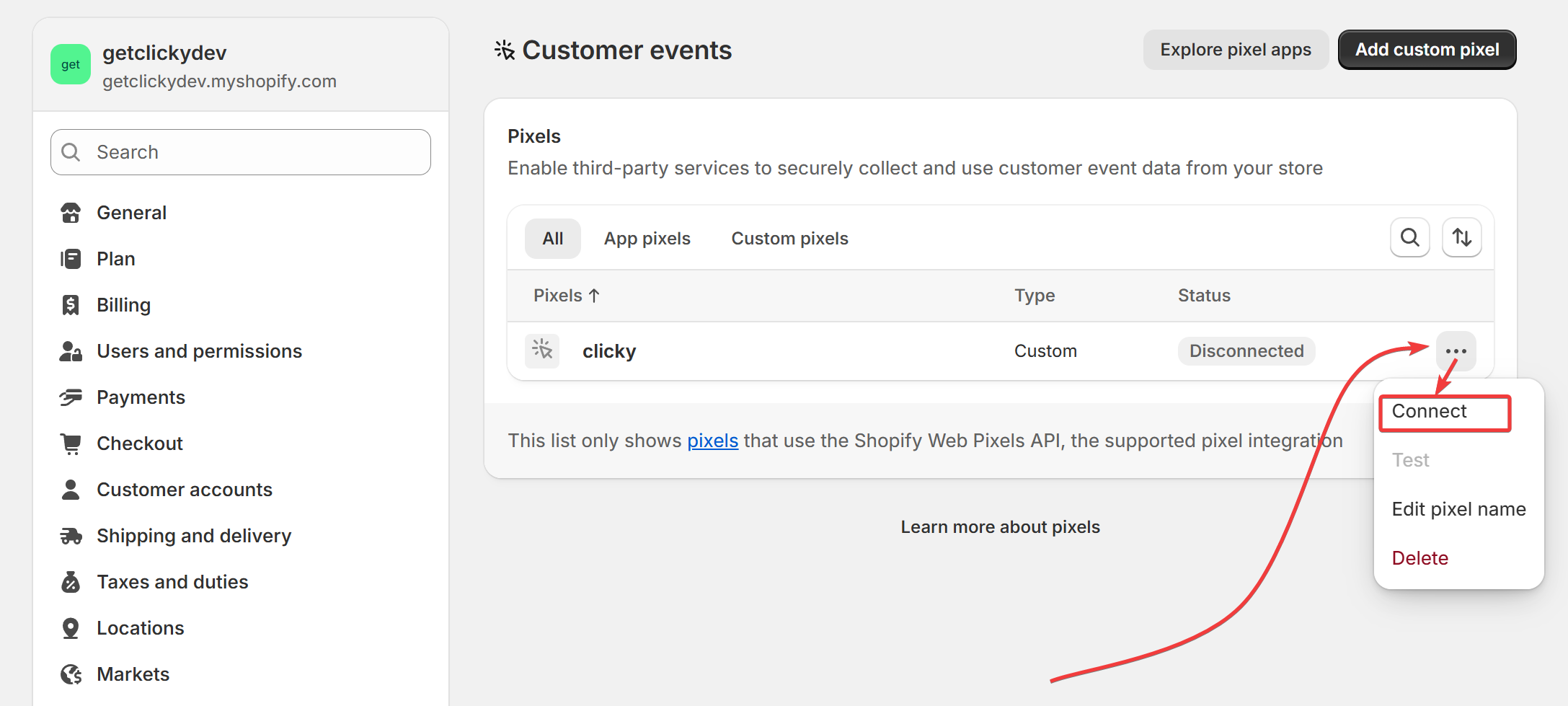
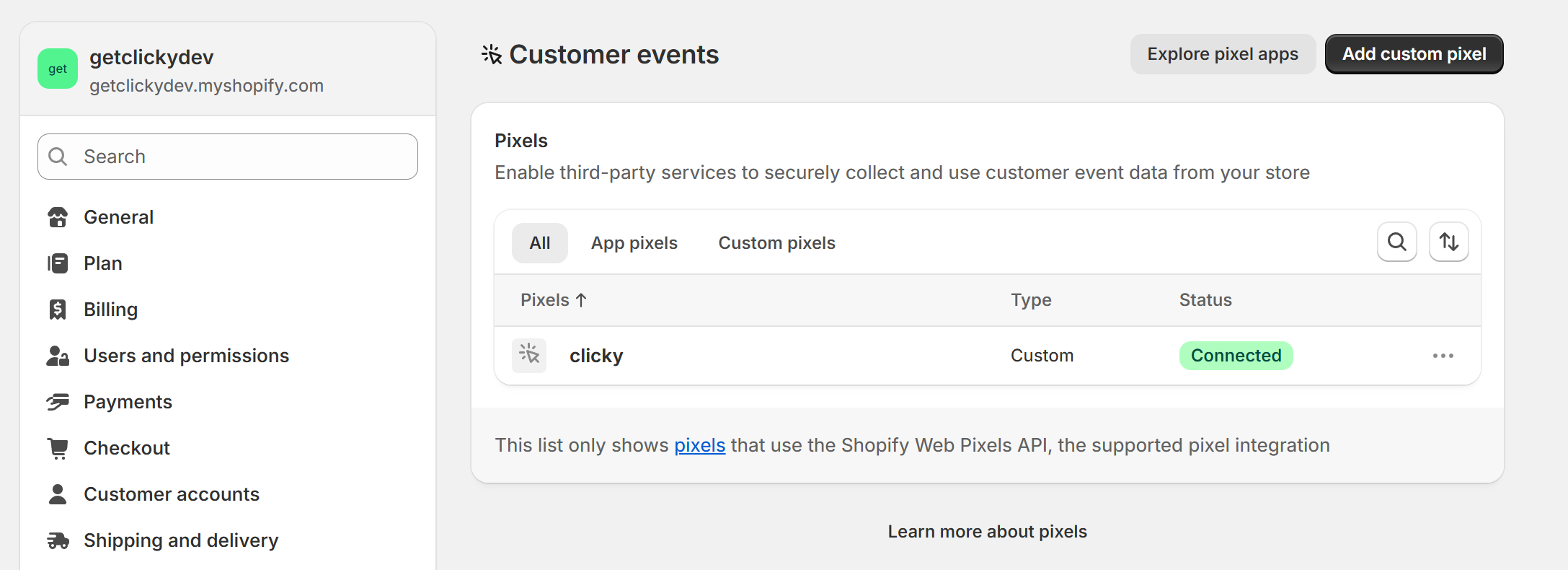
Go back to the main "Customer events" page, click the triple-dot menu, and "connect" the pixel:
The page should now look like this. You're done!
📢 Simple, powerful, and easy to use
Join Clicky today and take your analytics to the next level
 0 online
0 visitors
0 actions
0 online
0 visitors
0 actions