Wix Web Analytics Plugin
⬅️ Back to all plugins
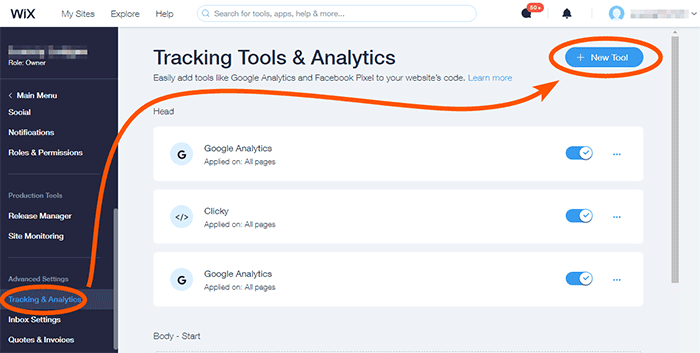
Go to your admin dashboard, then Advanced Settings, then Tracking & Analytics, and click on "New Tool" in the top right corner.
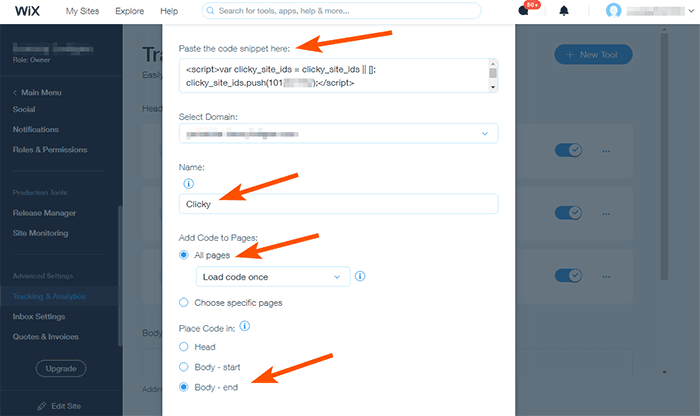
Choose "Custom", then paste in the code near the top, name it "Clicky", select the "All pages" option, and lastly "Body - end" - this will put the code at bottom of your site, recommended for best performance.
You can place the code in your header for perhaps slightly more accurate data (since it will load sooner, in theory). But if you do this, make sure to disable the "Track visitors without javascript" part of the tracking code. This is because that includes an img based backup tracking method, which isn't supported inside the <head> area of an HTML document.
📢 Stop guessing and start growing
Register for Clicky now to get the insights you need
 0 online
0 visitors
0 actions
0 online
0 visitors
0 actions