Firefox third party cookies
Third party cookies are required in order to automatically
ignore your own visits to your own websites, as well as load the
on-site analytics widget. Follow these instructions to whitelist clicky.com, as well as all your own websites domains, to ensure you can access this functionality.
We also have instructions for
Chrome.
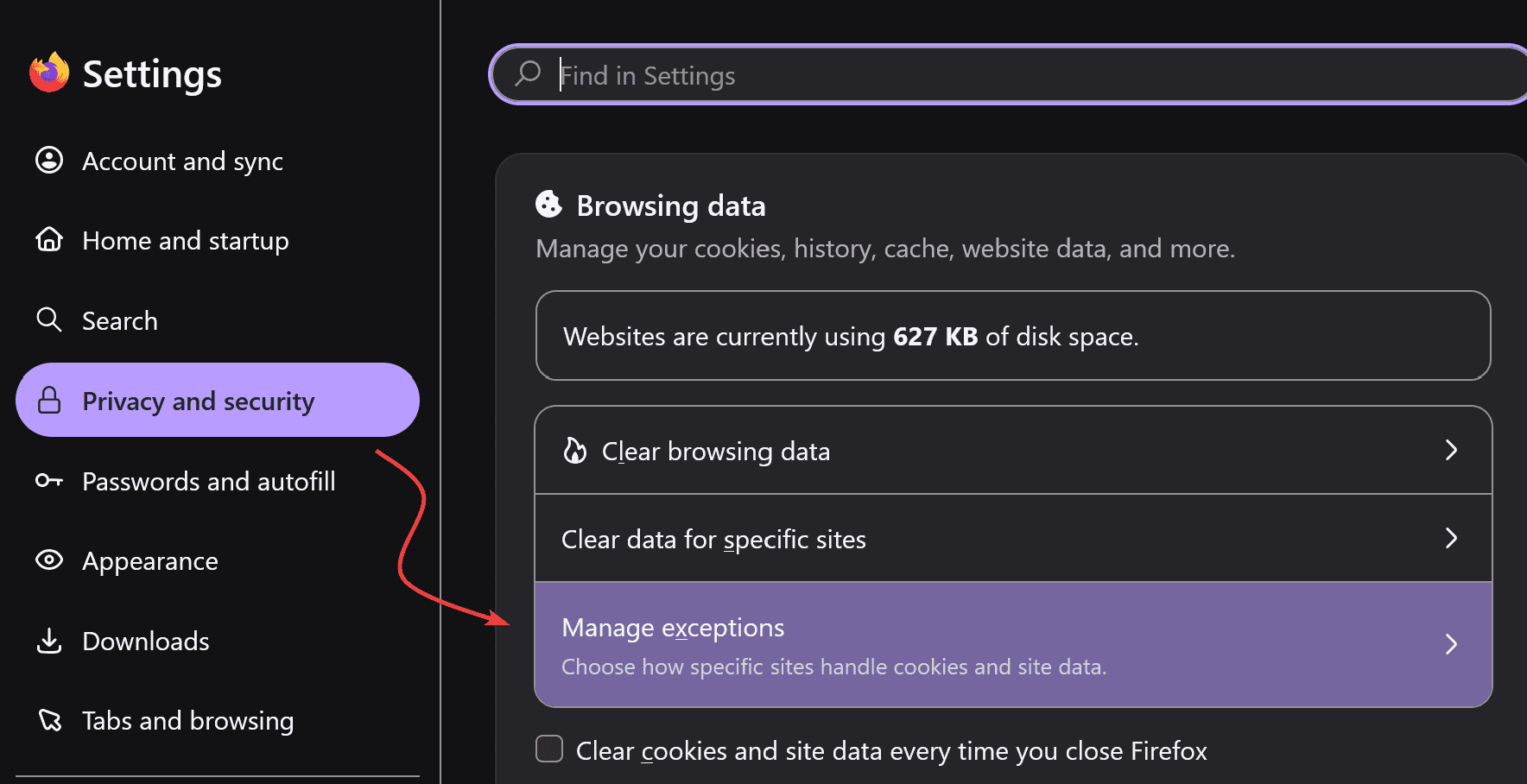
First: Firefox settings -> Privacy and security -> Manage exceptions.
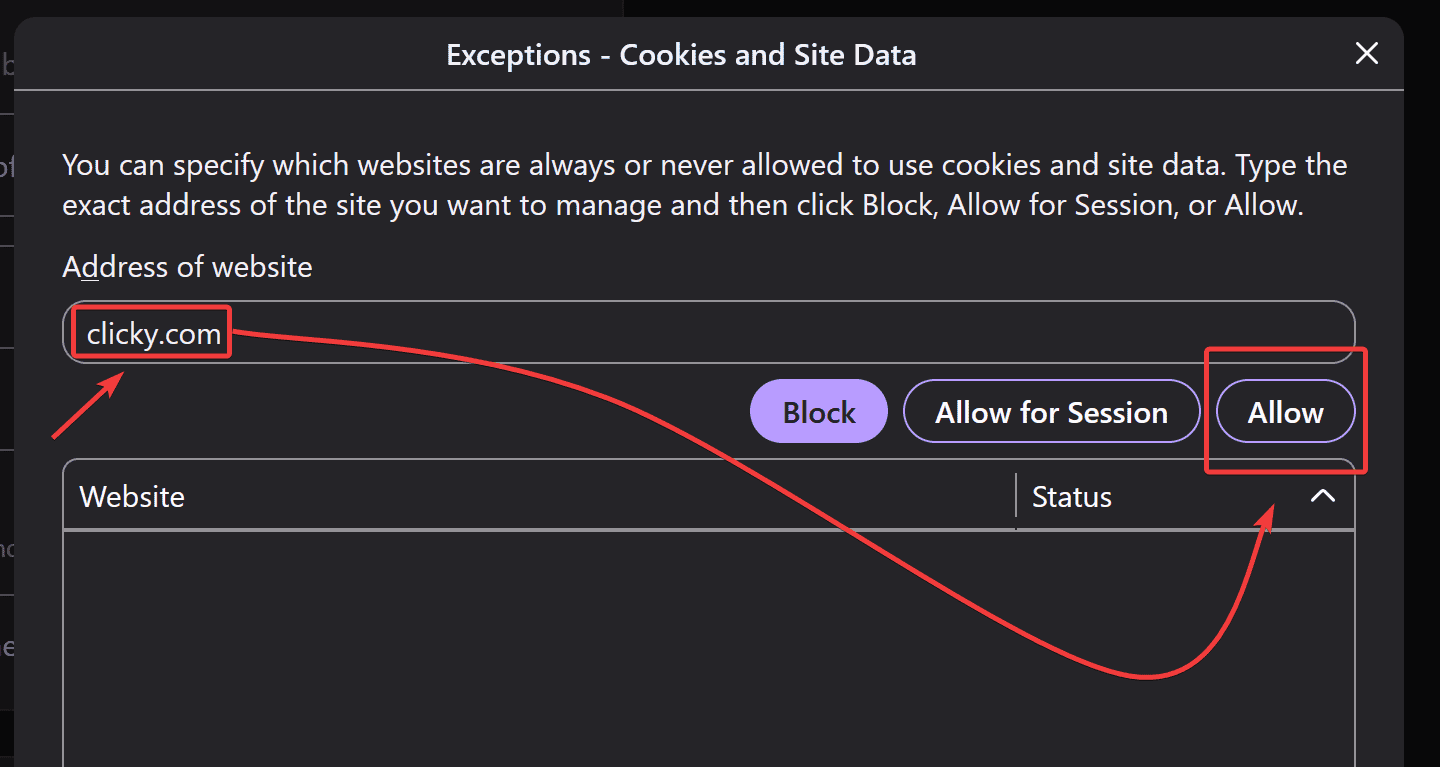
Next, enter in clicky.com, and click "allow".
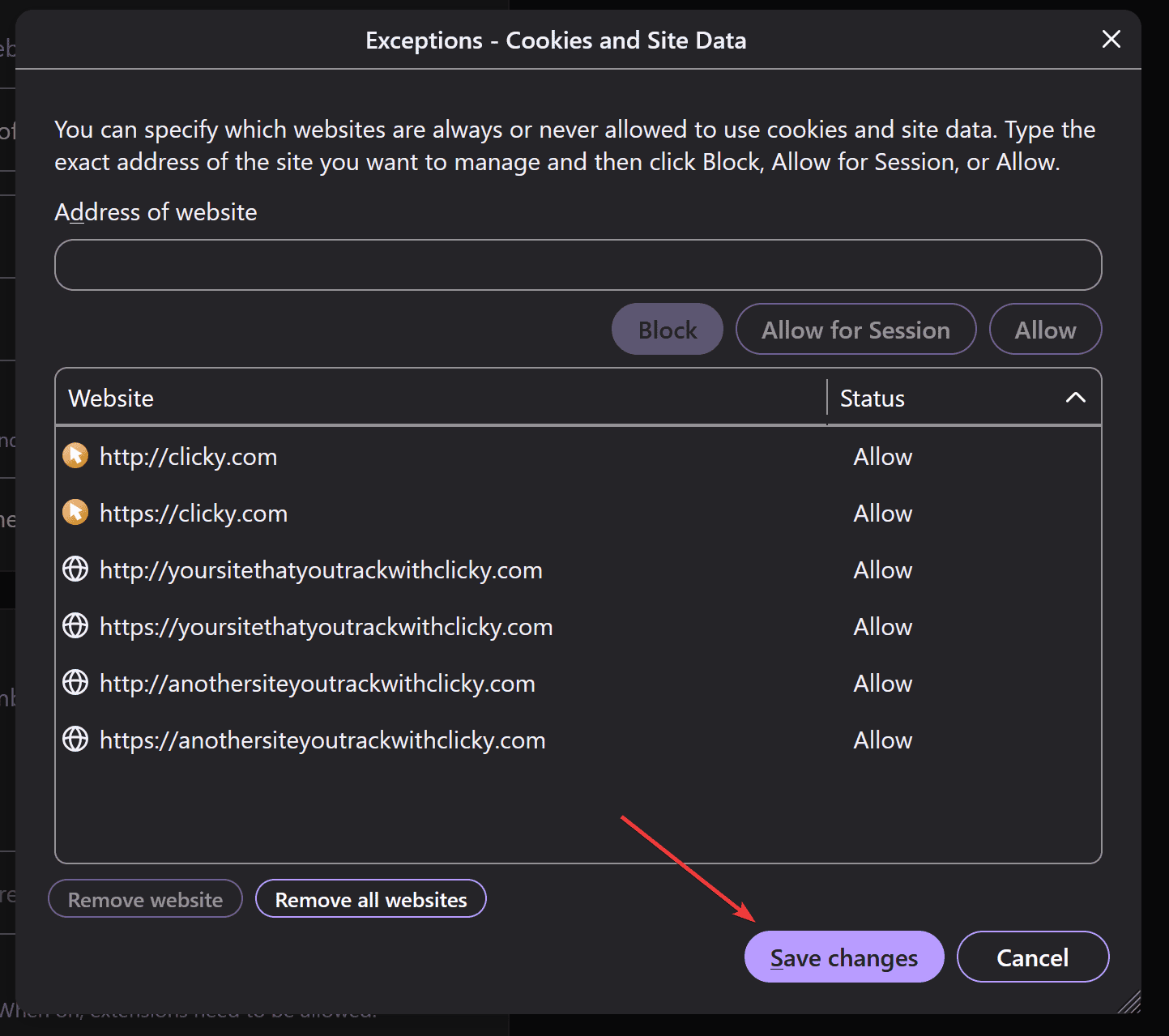
Enter in all of
your websites as well, then click the save button.
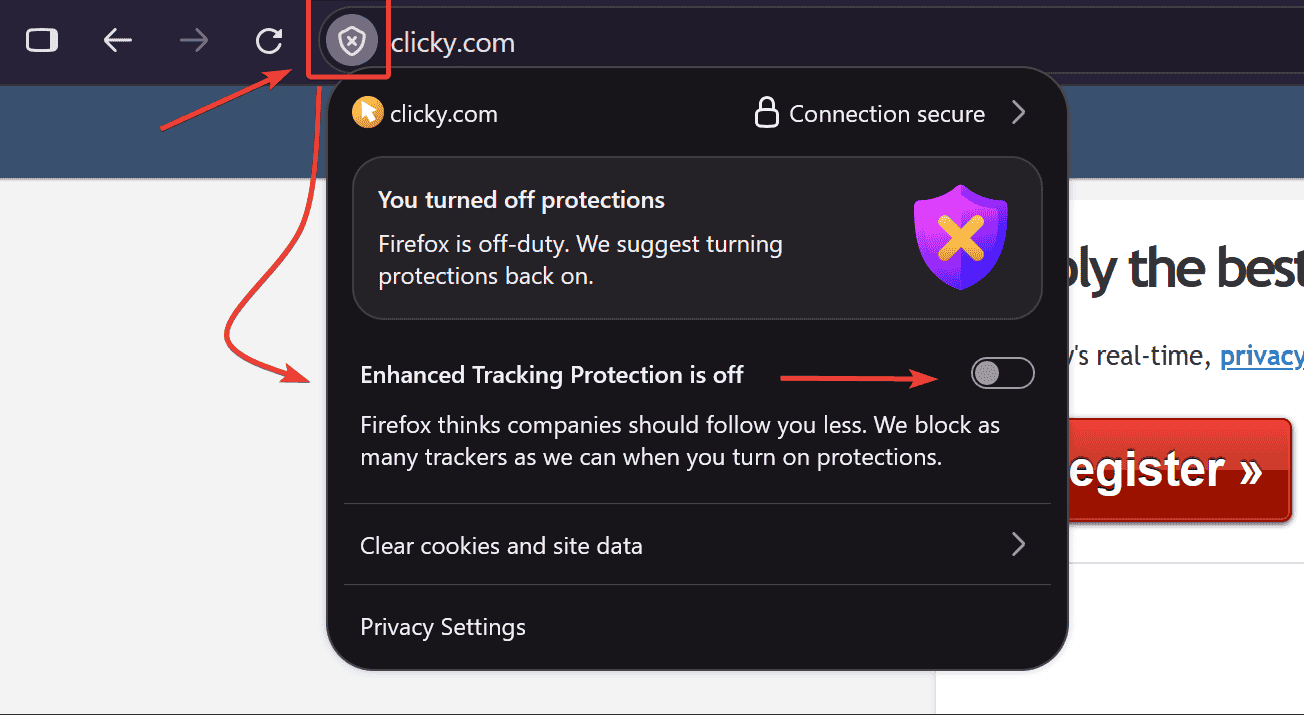
Firefox also has a privacy feature called
Enhanced Tracking Protection 
that messes with third party cookies. This can also be disabled on a per-domain basis, so on clicky.com (the site you're on
right now),
and each of your websites, make sure this feature is OFF:
Next, visit your
user homepage to allow the cookies to be set in the background.
And finally, visit one of your own websites...again. Then marvel at the wonder of the on-site analytics widget, and bask in the glory of knowing that you are not being tracked on your own website. Hooray!
📢 Tired of complex, bloated analytics?
Try Clicky now for a streamlined experience
 0 online
0 visitors
0 actions
0 online
0 visitors
0 actions


